Simple first. More when you want it.
Start with a look and stop there, or keep going. This is what EditAll does, in the order you are likely to meet it.
Browse
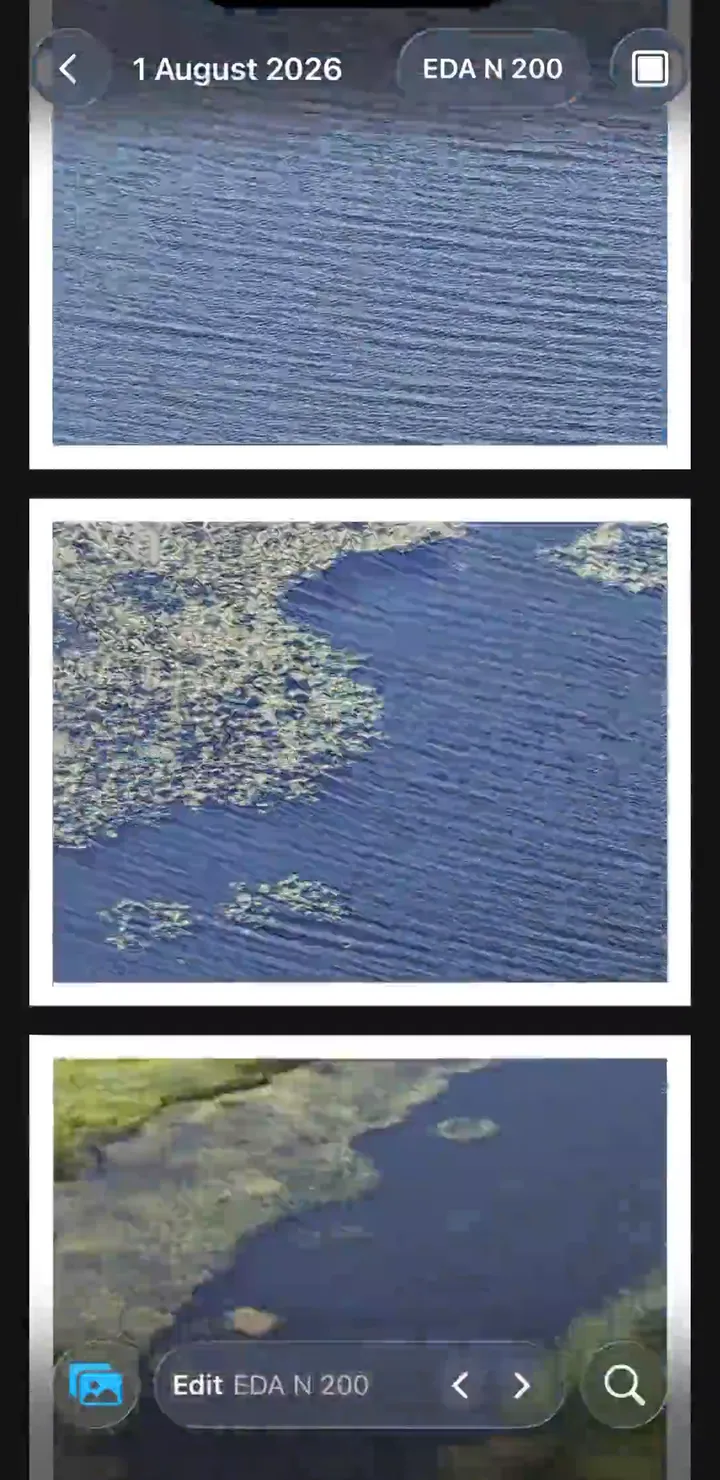
- One look across the whole library
- Choose a preset once and it stays on while you browse. Switch it and every photo changes with it. There is nothing to import, select, or copy.
- Film looks
- 15 looks are built in, from Fujifilm and Kodak color to black and white and disposable-camera grain. They work on photos and video. See every preset
- Timeline and search
- Move through your photos by time, search by place, date, or camera, and keep moments in smart albums and collections.
- White borders
- Turn on a white border for every photo in the library and set how wide it is.
Edit
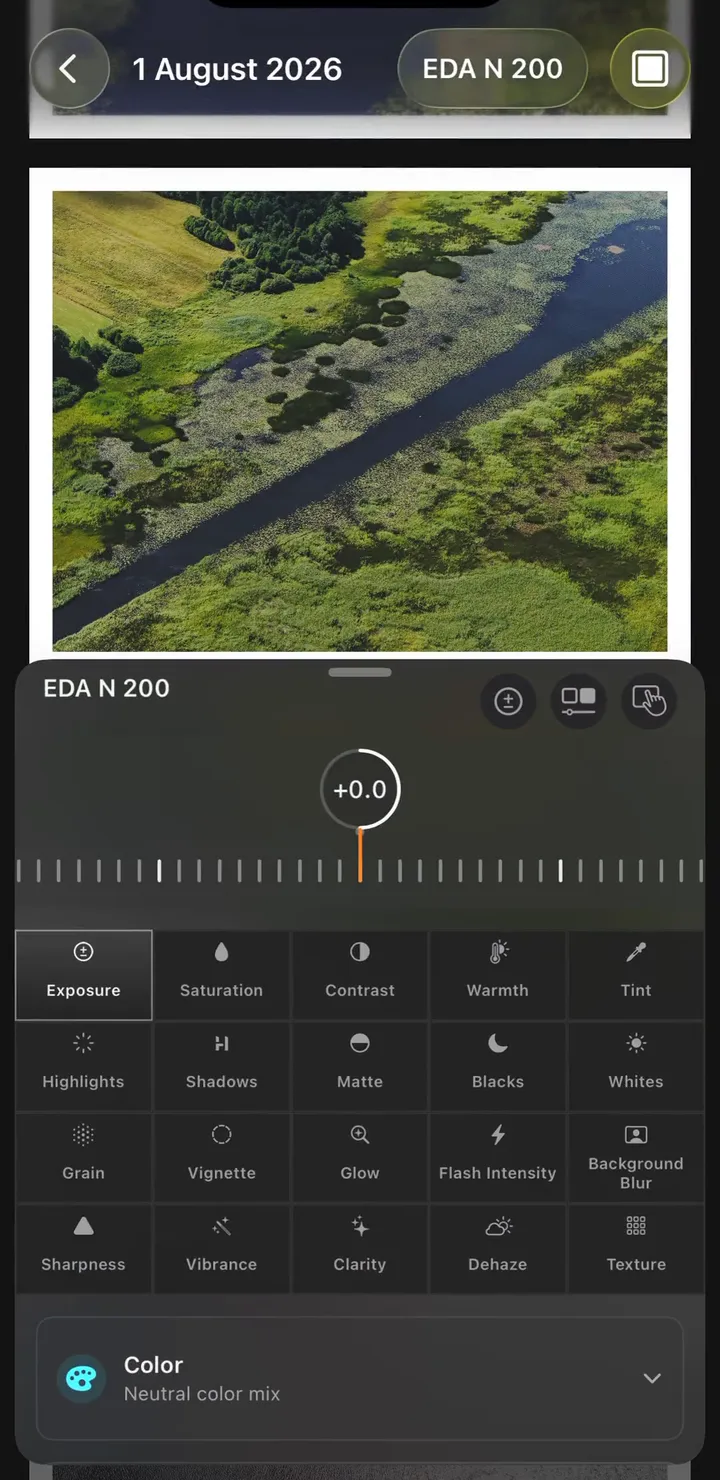
- Controls beyond the preset
- When one photo needs more, adjust tone, grain, clarity, and texture, or work with HSL and RGB curves.
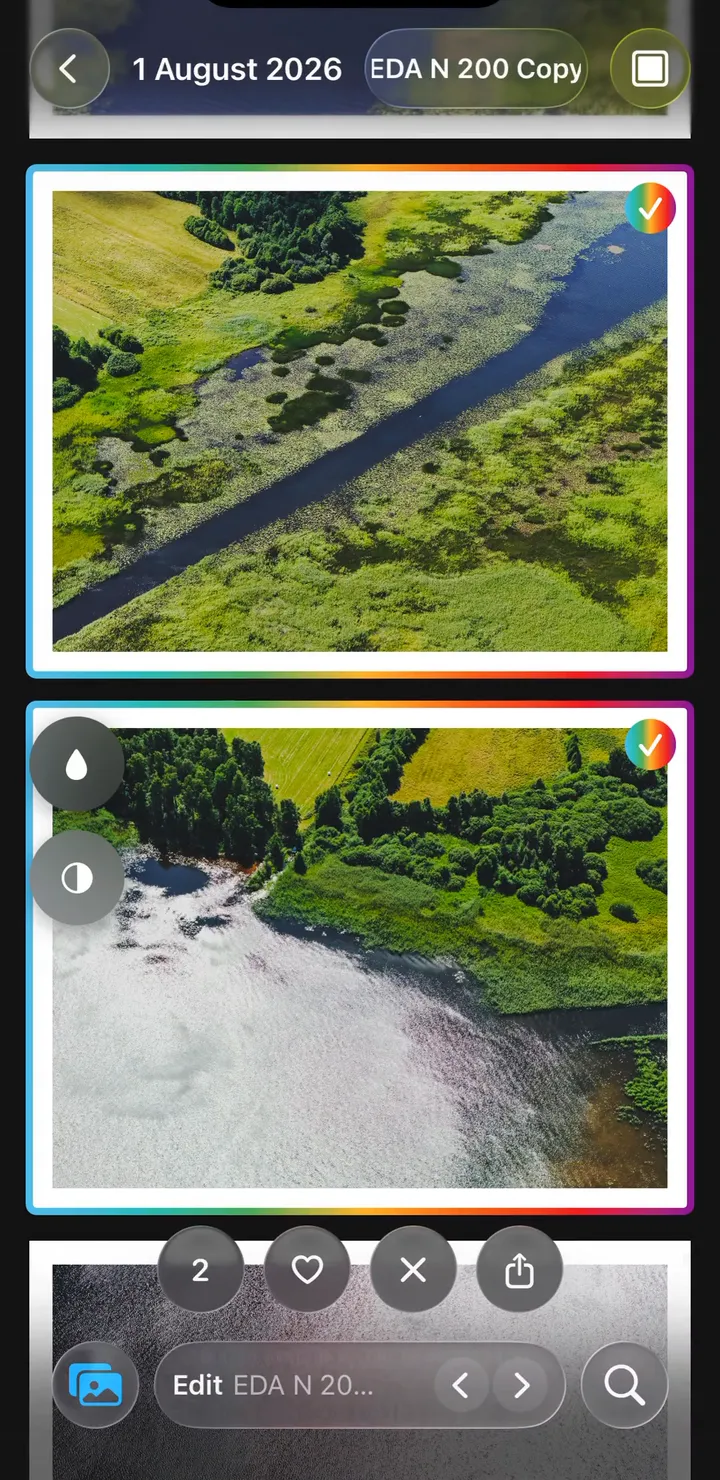
- Subject and background
- EditAll finds the subject for you. Brighten it, or blur the background, without masking by hand.
- Presets of your own
- Save your adjustments as a preset, sync it through iCloud, and send it to friends.
- Lightroom presets
- Convert XMP and lrtemplate files into EditAll presets and see what carried over. Convert a preset
Memories
- On This Day
- Photos from this date in past years, with near-duplicates left out. There is a Home Screen widget for it too.
- Curated memories
- EditAll gathers seasons, favorites, weekends, evenings, and places you love. Rename a memory, or hide any photo from it.
- Slideshow and video
- Watch a memory full screen in your current look, then share one photo or the whole memory as a video.
- Quiet reminders
- Optional morning reminders, a few times a week at most. They are scheduled on your device.
Shoot and share
- Live camera
- See your look in the viewfinder before you take the photo. Shoot photos and video, with RAW and Apple ProRAW on supported devices.
- Crop and share
- Pinch to frame a photo, then share one or several in a few taps. You can also send a photo to EditAll from the iOS share sheet.
- Originals stay untouched
- EditAll makes the finished version only when you export or share. The photo in your library does not change.
- Private on your device
- Edits happen on your device. There is no EditAll account, there are no ads, and your library is never uploaded to EditAll. Read the privacy policy
Free to use. Pro when you need more.
Prices are shown in the app and on the App Store in your local currency.
Read the purchase terms- Free
- Browsing and editing are free. Each day you can save, copy, or share three photos or videos and take three camera photos. You can create and keep updating two presets of your own.
- Your first 30 days
- Every Pro tool is included, Lightroom preset import and batch export among them. No subscription starts automatically when the 30 days end.
- EditAll Pro
- Unlimited and batch exports, unlimited camera photos, more presets of your own, and Lightroom preset import. Choose Monthly or Yearly, or buy Lifetime once.
Your library. Your look.
Free to download for iPhone and iPad. Mac coming soon.